
News
2014-2015 School Year, are you ready?
It’s time to get ready for Back To School, especially if you need an upgrade your ID card system for school ID badges. The right ID card system can help your school run more smoothly to identify staff and students [...]

CardPresso – Easy to use, easy to upgrade
CardPresso ID software is a versatile and easy-to-use and easy to upgrade solution. Easy to use: The cardPresso software can be installed on multiple PCs and you simply move the USB pen (1 pen per license) between those PCs to [...]
Zebra Badge Creator – In a Box Series
Learn more about Zebra's Badge Creator by clicking on the link below: http://content.bitsontherun.com/previews/q7aSs7hV-S5YEGMgu
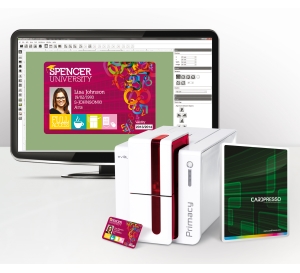
Evolis to bundle card printers with CardPresso versatile card design software
Angers, March 11th 2014 – Evolis, the European leader in solutions for plastic card personalization, announces the integration of the cardPresso software solutions within the Evolis offering. cardPresso is a world-class vendor of card design software solutions, with a key [...]
Pre Printed Cards – Right for you?
Are you creating high volume cards daily such as membership, medical ID, insurance or gift cards? If so, pre-printed cards may be a solution worth considering. Pre-printed cards are an easy and efficient option for membership cards, loyalty cards, medical [...]
ID Card Software updates
Looking for an updated reference manual or demo videos for your ID Card software? We get a decent number of requests for manuals for the Asure, ID Flow, and Zebra Card Studio card design software applications. Visit our ID Card [...]

QR Codes: the high-tech, low-cost Smart ID Card solution
Confirming someone’s identity before giving them access to facilities or work sites is crucial for your security. In the past, most organizations used passive photo ID cards to prove identity. Now a days, Smart ID Cards are being used within [...]
Evolis Tattoo 2 – Warranty Trouble Shooting Guide
Minimal trouble shooting is required to obtain a Warranty Repair RMA Card Feed Issues Run a self test to check functionality of the printer Update the printer firmware and driver Run a cleaning cycle Check for static build up on [...]